IR Remote translator
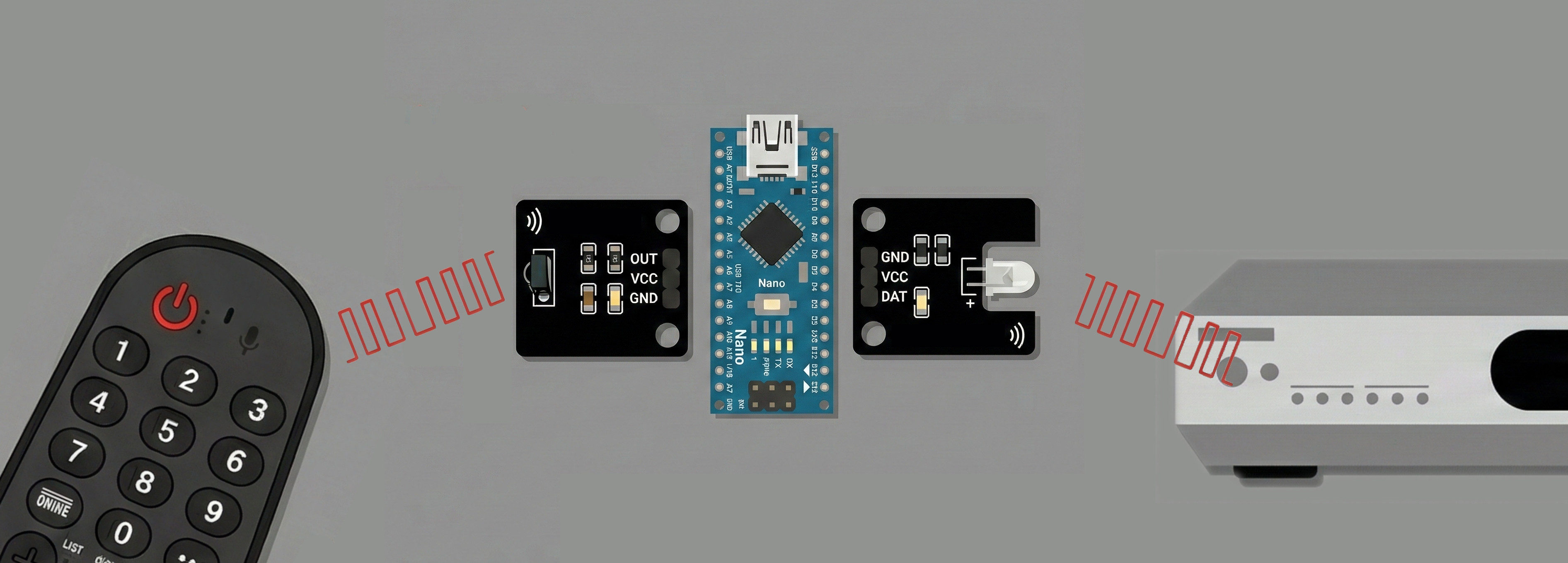
This is a quick and practical hack that allowed me to keep using a single remote with my 2022 LG OLED TV.
That TV generation included a very convenient feature called LG Universal Control. In short, the LG remote can control many external devices, such as a DVD player, a soundbar, or in my case, a Kenwood amplifier. For two years, it worked flawlessly. Then, out of nowhere, it stopped. Reconfiguring the device didn’t help.
From what I understand, LG maintains an internal database of IR codes. When you register a device, pressing something like “Vol+” sends a radio command to the TV, which then instructs the remote to emit the corresponding IR code. At some point, the codes for my amplifier seem to have disappeared from LG’s database. So I built a workaround. Using an Arduino Nano, an IR receiver, and an IR LED, I created a small “translator” that intercepts whatever IR code the LG remote emits and retransmits a the correct one for my amplifier.
The sketch is very simple and relies on TinyIRReceiver and TinyIRSender:
#include <Arduino.h>
#include "TinyIRReceiver.hpp"
#include "TinyIRSender.hpp"
// Specific values from LG remote
const uint16_t TRIGGER_ADDRESS = 0xA6;
const uint8_t  TRIGGER_VOL_DOWN = 0x0B;
const uint8_t  TRIGGER_VOL_UP = 0x0A;
const uint8_t  TRIGGER_MUTE = 0x1E;
void setup() {
    Serial.begin(115200);
    initPCIInterruptForTinyReceiver();
}
void loop() {
    if (TinyReceiverDecode()) {
        // Filter by Address first to avoid accidental triggers
        if (TinyIRReceiverData.Address == TRIGGER_ADDRESS) {
            if (TinyIRReceiverData.Command == TRIGGER_VOL_DOWN) {
                Serial.println(F("Action: Volume Down"));
                sendExtendedNEC(IR_SEND_PIN, 0xB8, 0x9A, 0, true);
            }
            else if (TinyIRReceiverData.Command == TRIGGER_VOL_UP) {
                Serial.println(F("Action: Volume Up"));
                sendExtendedNEC(IR_SEND_PIN, 0xB8, 0x9B, 0, true);
            }
            else if (TinyIRReceiverData.Command == TRIGGER_MUTE) {
                Serial.println(F("Action: Power"));
                sendExtendedNEC(IR_SEND_PIN, 0xB8, 0x9D, 0, true);
            }
        }
    }
}
With this setup, I can intercept and remap any command coming from the LG remote. For example, the mute button now toggles the amplifier’s power, something that previously required digging through menus in the default configuration. To make it a bit more polished, I designed and printed a small 3D enclosure for the board.
It was my first time experimenting with IR, and I genuinely enjoyed diving into these different protocols and understanding how they work. There’s something especially satisfying about building a small, simple device that quietly solves a real problem, and then using it every single day.